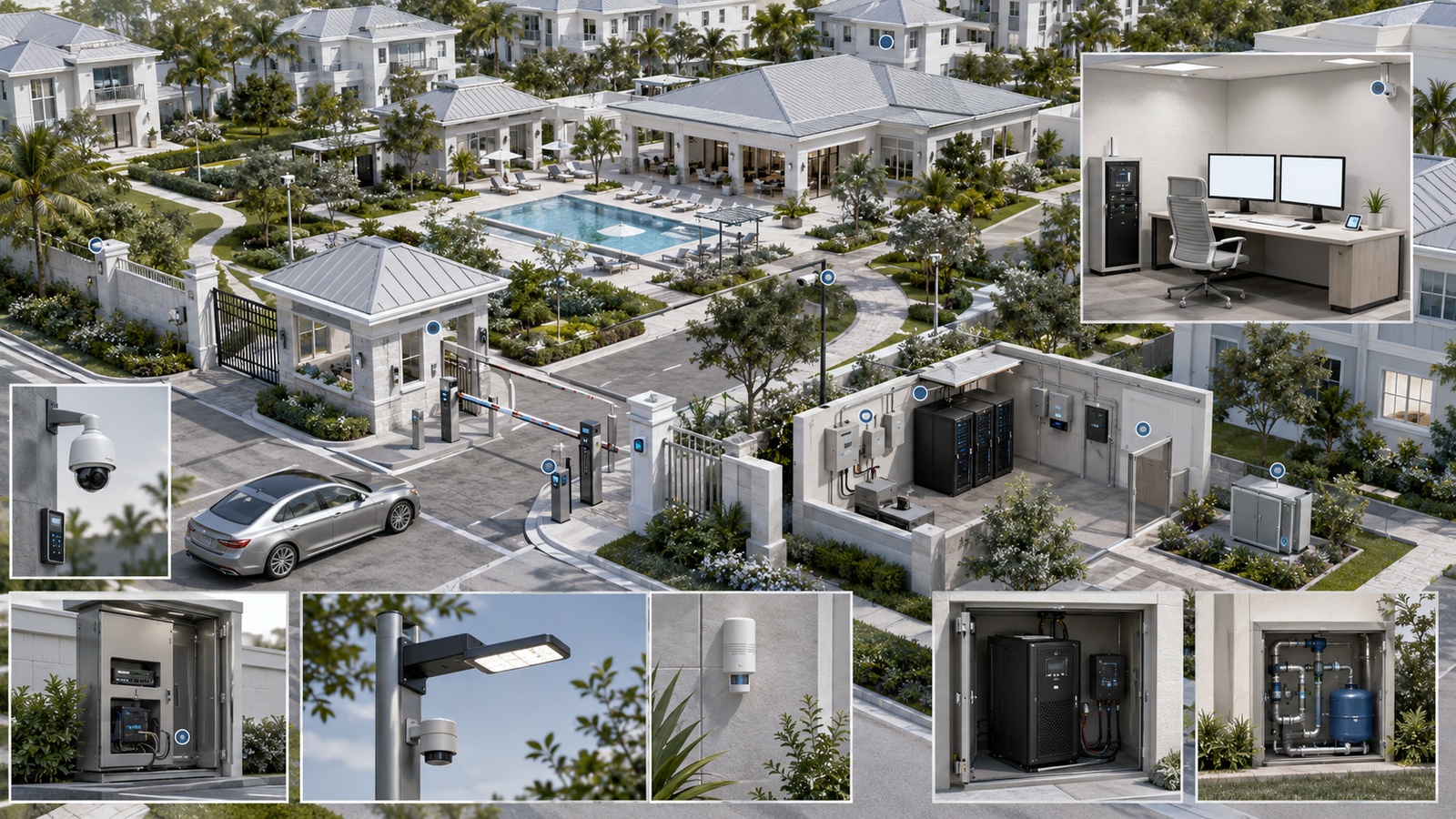
Modern residential properties depend on systems that may be distributed across entrances, clubhouses, garages, equipment rooms, outdoor enclosures, and multiple buildings. A failed network switch, gate controller, camera recorder, lighting panel, cooling unit, or water sensor may not be visible from the management office until residents complain or property damage has already occurred.
Remote monitoring can close that visibility gap. It allows authorized teams to observe system health, receive meaningful alerts, confirm service interruptions, and begin troubleshooting without physically visiting every location.
However, collecting more data does not automatically improve operations. Communities can easily accumulate separate dashboards, duplicate notifications, false alarms, and vendor portals that nobody consistently reviews. Effective monitoring must identify conditions that matter, notify the right person, and support a defined response.
Key Takeaway: Remote monitoring creates operational value only when an alert identifies a meaningful condition, reaches an accountable person, and leads to a documented response.
01 What Remote Property Monitoring Means
Remote property monitoring is the controlled observation of infrastructure status, operational events, and environmental conditions from outside the equipment’s immediate location. It may use local management software, cloud platforms, mobile applications, email or text notifications, network-monitoring tools, building systems, or combinations of these methods.
Monitoring is different from control. A platform may show that a gate is unavailable without allowing an operator to open it. Another platform may provide remote control but very limited health information. These capabilities should be evaluated separately.
Monitoring is also different from surveillance. Cameras can provide useful visual context, but property monitoring extends to conditions that may not be visible on video, including:
- Internet and network availability
- Switch, access point, and controller health
- Access-control communication
- Gate faults and abnormal states
- Recorder, camera, and storage conditions
- Lighting-controller availability
- Power interruptions and UPS status
- Temperature, humidity, and water detection
- Generator or equipment-room conditions
The goal is not constant observation of residents. It is timely awareness of infrastructure conditions that affect safety, security, continuity, property protection, or service quality.
02 Organize Monitoring Around Services
Many properties inherit monitoring one vendor at a time. The gate company provides one portal, the camera installer another, the network vendor a third, and the lighting platform a fourth. Each dashboard may work independently while nobody has a complete view of the service residents actually experience.
A better approach begins with operational services:
| Service | Conditions Worth Monitoring | Operational Consequence |
|---|---|---|
| Property connectivity | Internet, gateways, switches, fiber links, wireless access points | Multiple connected systems may lose communications |
| Entry and access | Controllers, readers, intercoms, gate faults, door states | Residents, visitors, or vendors may be delayed or denied entry |
| Surveillance | Cameras, recorders, storage, recording state, time accuracy | Incident evidence or live visibility may be unavailable |
| Power and environment | Utility status, UPS health, temperature, humidity, water, generator state | Equipment damage or multi-system outage may develop |
| Lighting and amenities | Controllers, schedules, power, critical zone availability | Safety, appearance, or resident services may be affected |
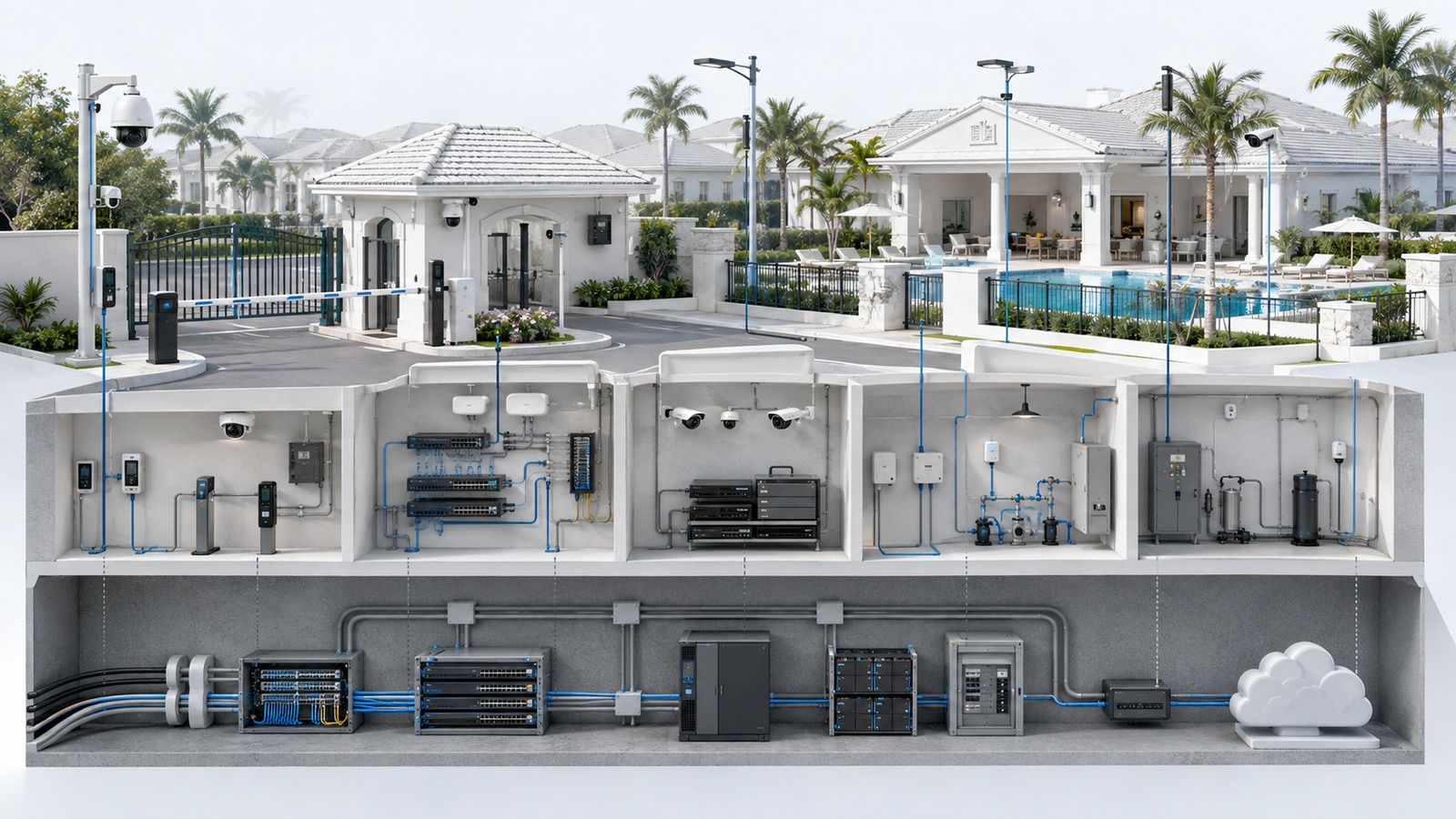
This service-based view reveals dependencies. If cameras, intercoms, and access controllers all become unavailable simultaneously, the likely problem may be a shared network switch, power source, or communications link rather than three unrelated system failures.
A dependency map also helps prevent redundant alerts. One meaningful alert for a failed building uplink may be more useful than dozens of notifications from every device behind it.
03 Monitor Service Health, Not Just Device Availability
A device responding to a basic network check does not prove that its service is functioning correctly. A camera may be reachable but no longer recording. A gate controller may be online while the intercom cannot complete calls. A storage appliance may respond normally while its recording volume is full or degraded.
Monitoring should therefore evaluate the deepest practical indication of service health available. Depending on the platform, this may include:
- Internet path and external-service reachability
- Network-device status and interface conditions
- Wireless access-point connectivity and client abnormalities
- Camera recording state rather than simple power status
- Recorder storage capacity and disk health
- Controller communications and credential synchronization
- Gate operator faults and repeated failed transactions
- UPS load, runtime estimate, battery condition, and input power
- Sensor state, battery level, and last successful check-in
Monitoring depth should remain proportional. Not every decorative light or convenience sensor needs immediate individual alerting. Priority should be given to shared dependencies, safety-related services, critical entrances, high-consequence environmental conditions, and failures that residents cannot easily work around.
Baseline behavior is also useful. If a network link normally carries consistent traffic but suddenly becomes silent, or an access controller begins generating an unusual number of denied transactions, the change may deserve investigation even if the system remains technically online.
04 Build Alerts Around Consequence and Urgency
Every detected condition does not deserve the same response. Communities should classify alerts according to operational consequence, required response time, and escalation path.
| Priority | Example Condition | Expected Handling |
|---|---|---|
| Critical | Water near equipment, essential entry failure, overheating, broad infrastructure outage | Immediate notification, acknowledgment, and escalation |
| Important | Individual camera offline, degrading UPS battery, noncritical controller failure | Prompt review and scheduled corrective action |
| Informational | Successful maintenance event, temporary recovery, routine capacity trend | Dashboard or periodic report unless a pattern develops |
Thresholds and delays should reflect real conditions. An alert generated by every brief network interruption may create noise, while waiting too long to report rising equipment-room temperature may remove the opportunity to prevent damage.
Each significant alert should define:
- What condition triggered it
- Which service and location are affected
- Who receives it initially
- How quickly it should be acknowledged
- Who is contacted if it remains unresolved
- What temporary operating procedure applies
- How resolution and cause are recorded
Repeated alerts should be investigated rather than habitually silenced. If a threshold is inappropriate, adjust it deliberately. If the condition is real, correct its cause. Muting recurring alarms without review removes the value of monitoring.
Operational Principle: If nobody is expected to act on an alert, it probably should not interrupt them. Preserve urgent notification channels for conditions that genuinely require attention.
05 Environmental and Power Monitoring Prevents Hidden Damage
Environmental monitoring can identify risks before they become visible through system outages. This is especially valuable in Florida, coastal environments, equipment rooms, outdoor cabinets, parking structures, and properties exposed to storms or seasonal vacancy.
Useful conditions may include:
- Water beneath racks, panels, or cooling equipment
- Unusual temperature or humidity
- Utility power loss
- UPS operation and deteriorating batteries
- Generator status or failed testing
- Outdoor enclosure conditions
- Repeated voltage or power events where suitable monitoring exists
Sensor placement matters. A temperature sensor installed near an air-conditioning supply may show comfortable conditions while equipment at the top of a rack overheats. A leak sensor placed far from likely water paths may provide false confidence.
Sensors also require supervision. A battery-powered sensor that stopped reporting months ago cannot warn anyone during a new incident. Monitoring should distinguish a normal condition from a device that is no longer communicating.
Environmental alerts should identify location precisely. “High temperature” is less actionable than a notification associated with a documented equipment room, cabinet, or property zone.
06 Cloud Monitoring Needs Local Continuity
Cloud-managed platforms simplify remote access, mobile notifications, multi-property administration, and vendor support. They can be especially useful for seasonal residences, large communities, high-rises, and management organizations responsible for several locations.
However, cloud visibility depends on local power, network connectivity, internet service, name resolution, vendor infrastructure, and administrative access. If the shared internet path fails, the property may lose remote visibility into several systems simultaneously.
A resilient monitoring design should determine:
- Which alerts can be generated locally
- Whether events are buffered during internet loss
- How staff recognize that the monitoring path itself failed
- Whether a secondary internet or cellular path is justified
- Which essential systems continue operating locally
- How the site communicates during a broad outage
- How cloud and local event records reconcile after recovery
Secondary connectivity can improve resilience but should not be added without testing. Failover behavior, data plans, carrier coverage, antenna placement, firewall policy, remote administration, and return to the primary connection all require validation.
The monitoring platform itself should be monitored where practical. A silent dashboard may indicate that everything is normal—or that the site stopped reporting entirely.
07 Protect Monitoring Access and Resident Privacy
Monitoring platforms may reveal camera views, access events, infrastructure layouts, device information, property occupancy indicators, and administrative controls. Access should be based on legitimate operational responsibility rather than general convenience.
Good administrative practices include:
- Named user accounts instead of shared administrator credentials
- Multifactor authentication where supported
- Role-based permissions
- Prompt removal of former staff and vendors
- Controlled and time-limited external support access
- Administrative and configuration-change logging
- Secure account-recovery ownership
- Periodic user and permission reviews
Network monitoring and remote-management systems should be separated from guest and resident networks. Firewall rules should permit required communication without broadly exposing management interfaces. IPv4 and IPv6 protections should be evaluated consistently.
Communities should also define appropriate collection and retention. Monitoring should focus on legitimate property operations, security, maintenance, and continuity. Data should not be collected indefinitely merely because a platform makes storage easy.
Camera access, entry records, resident information, and behavioral analytics may involve policy, contractual, privacy, or legal considerations. Communities should consult qualified professionals where requirements are unclear and communicate approved practices appropriately.
08 Centralize Visibility Without Creating Another Problem
A single operational view can help teams understand the property, but centralization does not require forcing every system into one product. Some specialized platforms may remain necessary.
The practical objective is to reduce fragmentation through:
- A service and dependency inventory
- Consistent site, building, and device naming
- One documented alert-routing standard
- Shared incident and escalation procedures
- Clear links to specialized vendor platforms
- Consolidated reporting for high-priority conditions
- Defined ownership for every monitored service
Integrations should be evaluated for maintainability. A custom connection may provide an impressive dashboard but become unreliable after application updates or vendor changes. Critical alerts should not depend on an undocumented integration that only one contractor understands.
Remote control also requires caution. Restarting equipment or opening access points remotely may resolve some problems, but it can interrupt other services or create physical-security consequences. High-impact actions should use limited permissions, confirmation, logging, and approved procedures.
A community with several simple, well-owned platforms may operate more effectively than one with a complex unified dashboard that nobody can maintain.
09 Build a Monitoring Program, Not Just a Dashboard
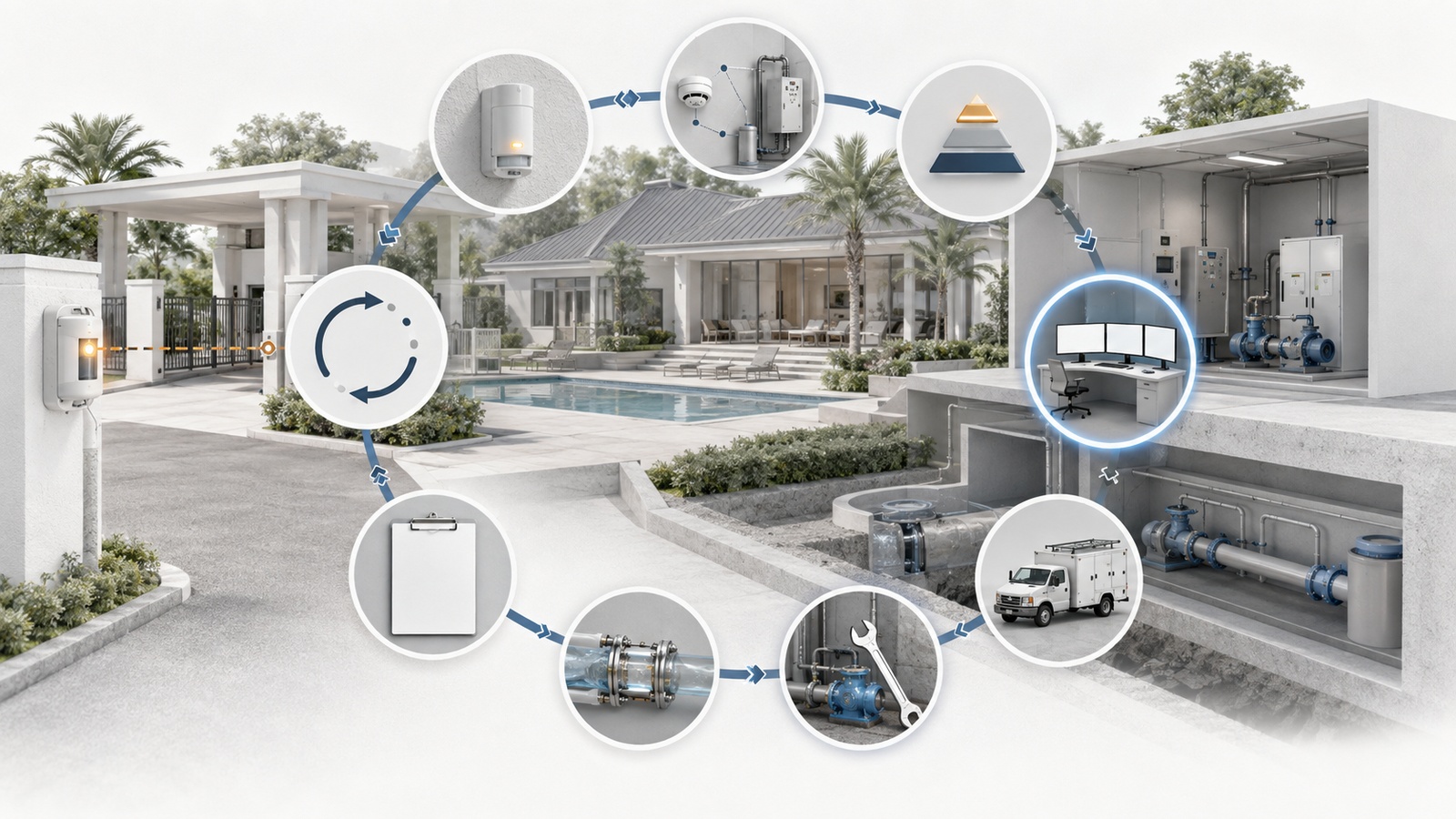
Monitoring should begin with an inventory of services, locations, dependencies, consequences, and owners. The property can then select suitable tools instead of allowing each new vendor to define another isolated notification process.
Remote Property Monitoring Checklist
- Identify the services whose failure creates meaningful operational consequences.
- Map shared network, power, controller, internet, and cloud dependencies.
- Monitor actual service health where possible—not only device reachability.
- Classify alerts as critical, important, or informational.
- Assign an owner, acknowledgment target, and escalation path to significant alerts.
- Suppress duplicates without hiding the underlying shared failure.
- Place environmental sensors according to realistic heat and water risks.
- Supervise sensor batteries and last-check-in status.
- Define local monitoring and operations during internet or cloud outages.
- Protect dashboards with named accounts, MFA, and role-based permissions.
- Limit vendor access and remove obsolete accounts promptly.
- Establish suitable data access, retention, and privacy policies.
- Document dashboard links, alert logic, thresholds, and response procedures.
- Test notification delivery, escalation, recovery, and after-hours workflows.
- Review alert volume and usefulness on a recurring schedule.
Commissioning should include real notification tests. Verify that an alert reaches the correct person, contains enough location and service information, escalates when unacknowledged, and closes correctly after recovery. Test outside normal office hours if the condition is expected to receive after-hours response.
Monitoring should also improve over time. Review recurring incidents, false alarms, missed conditions, response time, and unresolved dependencies. Add visibility where an actual operational gap exists, and remove noise that no longer supports a decision.
Remote monitoring cannot prevent every outage, but it can significantly reduce the time between failure, awareness, diagnosis, and response. Its greatest value is not the dashboard—it is the operational discipline created around the information.
The next guide addresses a critical boundary inside connected properties: IoT Segmentation for Smart Buildings and Shared Infrastructure.