
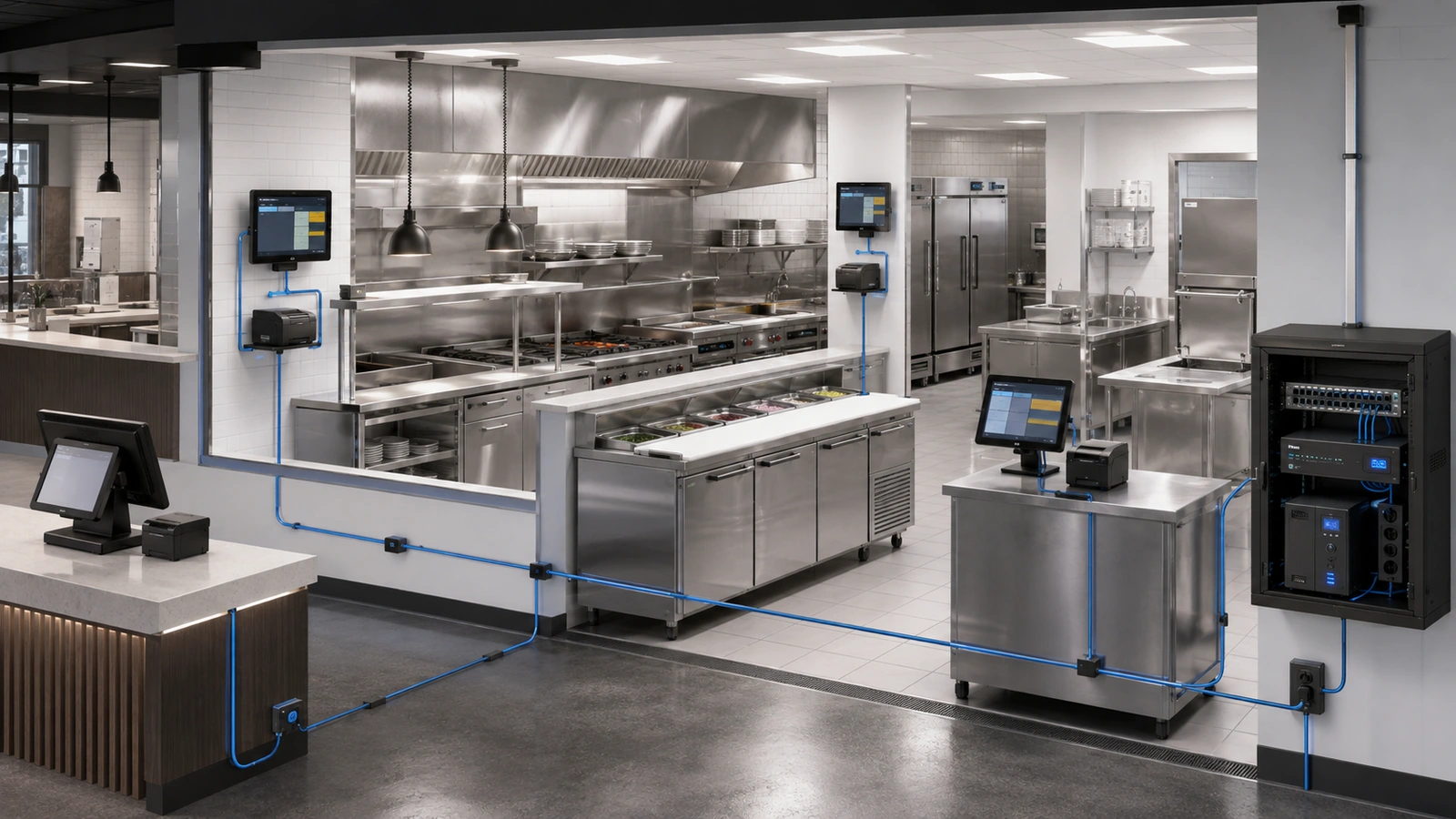
Kitchen technology failures create immediate operational consequences. A missing ticket can delay production, a frozen display can hide an entire order queue, and an incorrectly routed item can create confusion across several preparation stations.
These incidents are often described as printer or Wi-Fi problems, but the actual cause may be mechanical, environmental, electrical, network-related, application-specific, or the result of incorrect POS routing.
Reliable kitchen technology therefore requires more than replacing devices when they stop responding. The complete order path—from front-of-house entry to kitchen delivery, acknowledgment, preparation, and recovery—must be designed and documented.
Because kitchen production is part of the wider POS workflow, this guide should be read alongside POS Network Design: Stability First, Speed Second.
Key Takeaway
A missing kitchen ticket does not automatically indicate a printer or network failure. Troubleshooting should verify order entry, routing logic, application services, network communication, device status, power, consumables, and the physical printer mechanism.
01 Map the Complete Kitchen Order Path
A modern kitchen may receive orders from fixed POS terminals, wireless handhelds, online-ordering platforms, delivery services, kiosks, mobile applications, or internal hospitality systems.
The order may then pass through:
- A local or cloud-based POS platform
- Order-routing rules
- Kitchen controllers or application services
- Network switches and wireless infrastructure
- Kitchen displays, printers, or expeditor stations
- Preparation and fulfillment workflows
Different items may be routed to different stations. Beverages may reach the bar, grilled items the hot line, desserts a separate preparation area, and a complete summary the expeditor.
The documentation should explain:
- Which order sources feed the kitchen
- Which menu groups route to each destination
- Whether routing occurs locally or through a cloud platform
- What happens when a destination is unavailable
- How a ticket is reprinted or rerouted
- Which vendor owns each part of the workflow
Without this map, staff may repeatedly restart a printer when the ticket was never assigned to that destination.
02 Recognize the Kitchen as a Harsh Technology Environment
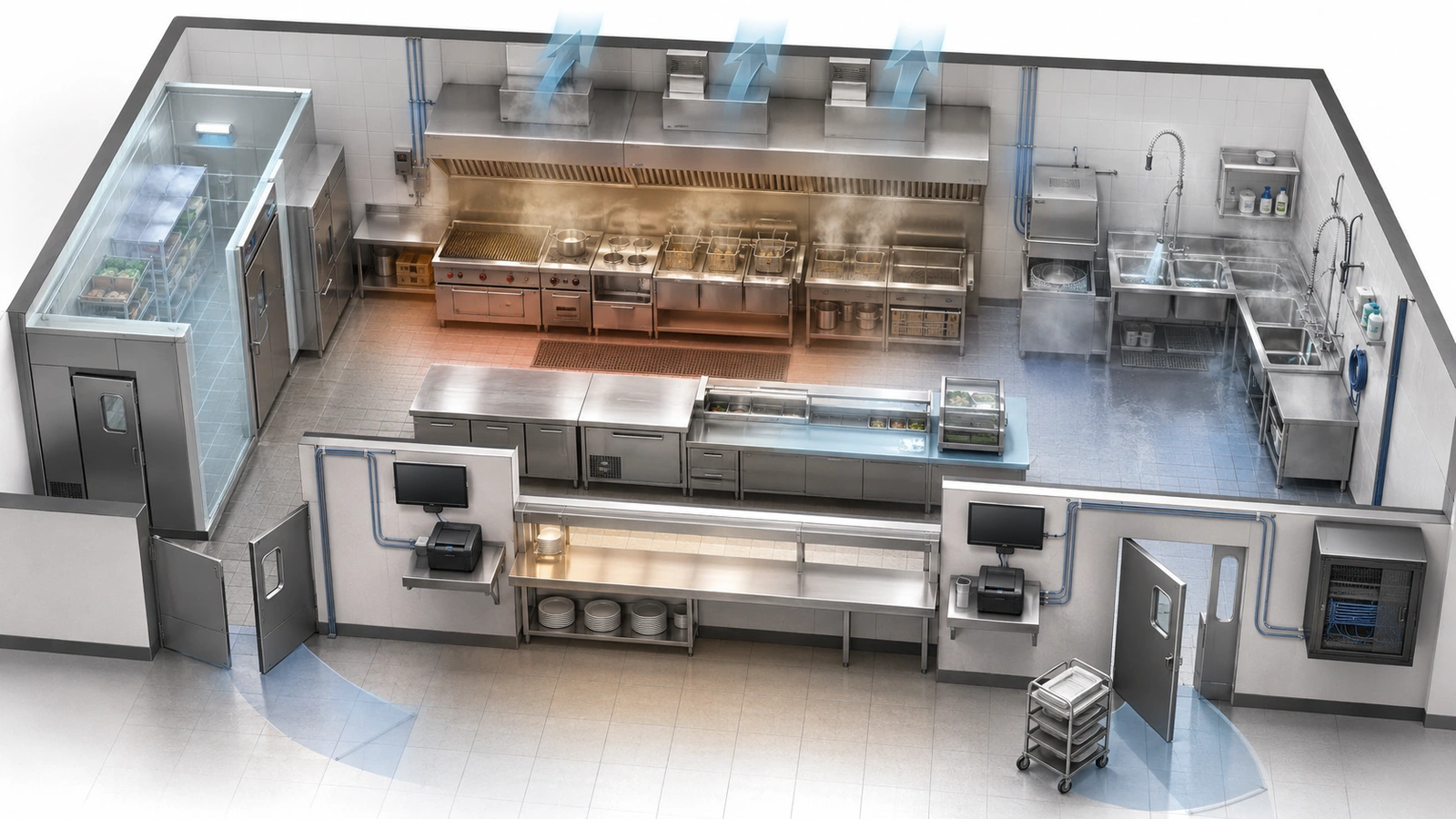
Commercial kitchens expose technology to conditions rarely found in offices or dining rooms.
Potential risks include:
- Heat from cooking equipment
- Steam, humidity, and condensation
- Grease and airborne residue
- Liquids and cleaning chemicals
- Metal surfaces and refrigeration equipment
- Vibration, carts, trays, and staff activity
- Limited ventilation around equipment
- Frequent cleaning and equipment relocation
These conditions can affect printer mechanisms, paper, touchscreens, connectors, power adapters, cables, wireless propagation, and device cooling.
Technology should be positioned away from direct heat, steam, splashing, washdown, and impact paths. Mounts and shelves should support normal operation while allowing paper replacement, cleaning, inspection, and device removal.
Placing equipment inside a sealed enclosure may protect it from grease or water while creating a heat problem. Environmental protection must account for ventilation and the equipment manufacturer’s approved operating conditions.
03 Select the Right Output Device for Each Station
Kitchen printers are simple in appearance but perform a critical communication function. The appropriate device depends on the station, environment, output format, noise level, consumables, and supported POS architecture.
Common output methods include:
- Thermal receipt or production printers
- Impact printers designed for appropriate kitchen workflows
- Label printers
- Kitchen display systems
- Hybrid workflows combining displays and printed backup
A printer suitable for a host stand may not be appropriate near heat or grease. A display may improve queue visibility while creating dependence on screen mounting, touch input, controller operation, and continuous power.
Selection should consider:
- Vendor compatibility and support
- Environmental suitability
- Output visibility and durability
- Paper, ribbon, label, or other consumables
- Connection options
- Power and mounting requirements
- Replacement availability
- Staff familiarity and workflow
The most technically advanced option is not automatically the most reliable for every station. The device must fit the operating process.
04 Diagnose Printer Problems by Failure Layer
Printer troubleshooting becomes faster when symptoms are classified instead of treating every incident as “offline.”
| Observed Symptom | Possible Failure Layer | Initial Diagnostic Direction |
|---|---|---|
| No power or display | Outlet, adapter, cable, power switch, UPS, or internal hardware | Verify the approved power source and physical device state |
| Printer online but no ticket | Order routing, POS service, print queue, menu assignment, or application integration | Confirm the order reached the correct destination and review routing status |
| Intermittent disconnects | Cabling, switch port, wireless coverage, addressing, power, or environmental exposure | Compare device, port, link, address, and power events over time |
| Paper feeds but print is poor | Paper or ribbon, print mechanism, contamination, heat, or maintenance | Inspect consumables, mechanism, approved cleaning, and environment |
| Duplicate tickets | Application retry, order resubmission, queue recovery, routing, or staff procedure | Review transaction and print-event timing before replacing hardware |
| Several destinations fail together | POS service, network switch, gateway, power, cloud platform, or routing controller | Investigate the shared dependency rather than each printer separately |
Rebooting can temporarily restore service while erasing useful evidence. Before restarting equipment, record the time, device status, displayed indicators, affected orders, network state, and whether other destinations remain operational.
Logs from the POS platform, print service, switch, or monitoring system may help determine whether the ticket was generated, queued, delivered, rejected, or never routed.
05 Prefer Wired Connections for Fixed Kitchen Devices
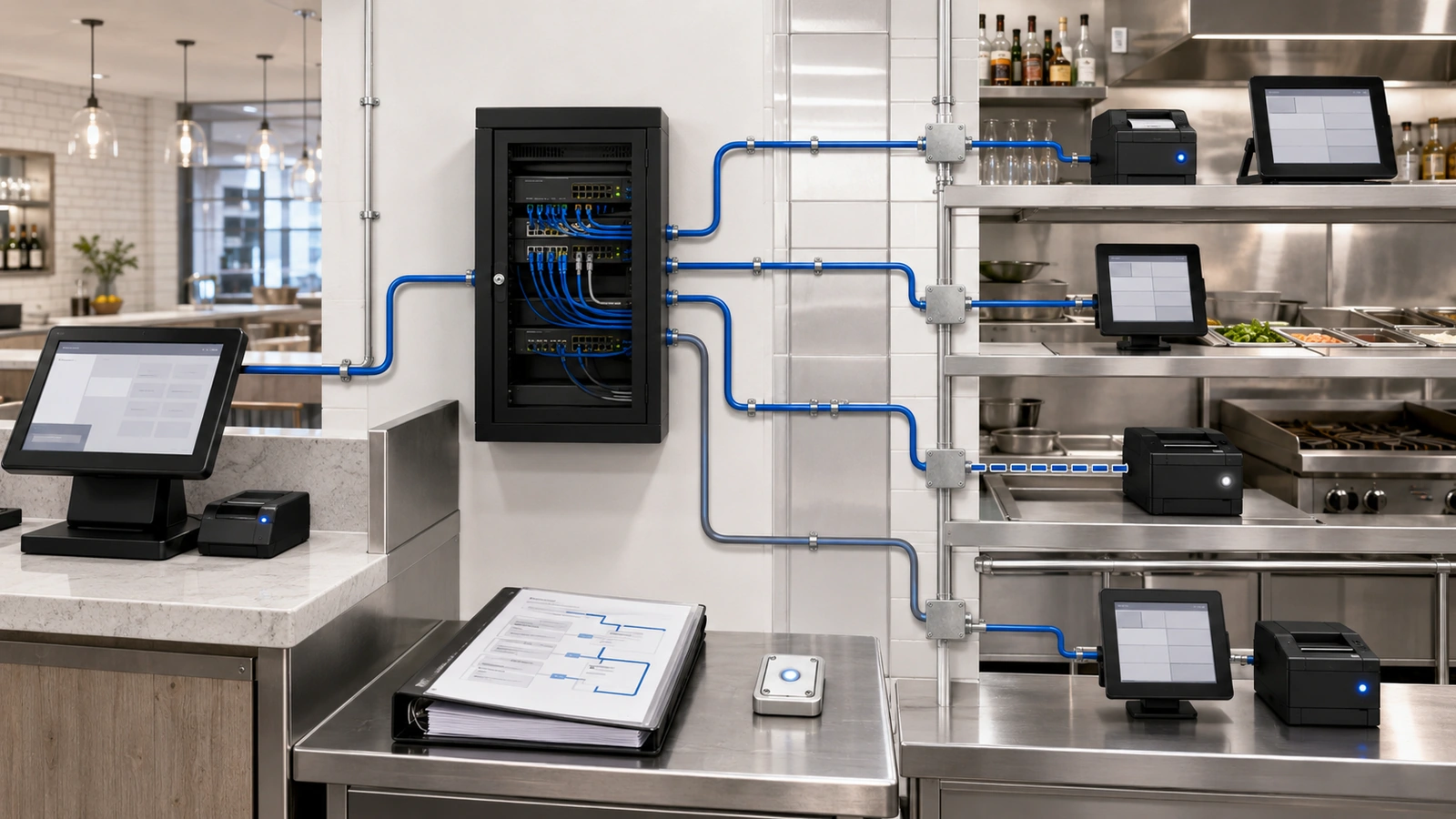
Fixed kitchen printers and displays generally benefit from wired Ethernet when the device and installation support it. Wired connections reduce dependence on the kitchen’s difficult radio environment and make the communication path easier to test.
The connection should include:
- A properly installed and protected cable route
- A documented wall jack or termination
- An organized patch-panel and switch connection
- Appropriate addressing and device records
- Protection from heat, liquids, grease, impact, and cleaning
Loose patch cables, couplers, unmanaged switches, and power adapters beneath preparation counters create hidden failure points. Cables should not cross hot, wet, sharp, or frequently moved equipment areas.
A wireless printer can still be reliable when wireless service is stable, placement is appropriate, the device is supported, and the operating requirements justify it. The concern is that a fixed business-critical device gains another dependency when a practical wired path was available.
Wireless tablets, scanners, and mobile kitchen devices require coverage designed specifically for the kitchen—not assumed from dining-room access points.
Wired Is Preferred, Not Magical
A wired printer can still fail because of damaged cabling, poor termination, addressing conflicts, switch problems, power loss, incorrect routing, or mechanical issues. The entire path must remain serviceable.
06 Stabilize Addressing, Routing, and Segmentation
Kitchen devices should have predictable identities so the POS system can deliver orders to the correct destination. The vendor may require fixed addresses, reserved dynamic assignments, device registration, hostnames, or another supported method.
The important requirements are:
- No conflicting addresses
- Documented device assignments
- Reliable DNS and gateway settings where required
- Correct routing between authorized services
- Stable switch-port and wireless assignments
- Controlled access from POS and management systems
Kitchen technology should not be exposed to guest devices or unrelated vendor networks. Logical segmentation can protect access and make troubleshooting clearer.
Segmentation does not automatically reserve capacity. If guest, entertainment, and kitchen services share access points, switches, gateways, or internet connections, those resources must still be sized and managed appropriately.
Firewall rules should allow the communication required by the approved POS and kitchen architecture without opening broad access to entire networks. Vendor requirements should be documented instead of implemented through permanent unrestricted exceptions.
07 Protect Power and Plan Recovery
Kitchen technology may depend on several powered components beyond the endpoint itself:
- Printers and displays
- Local controllers or application devices
- Network switches
- Wireless access points
- POS terminals
- Gateway and internet-service equipment
A UPS protects only the equipment connected to it and only for its available runtime. Placing a printer on backup power will not preserve order delivery if the switch, POS service, or routing controller loses power.
The design should determine which kitchen functions must continue through brief electrical interruptions and generator transfer. Backup systems require suitable placement, monitoring, testing, battery replacement, and protection from the kitchen environment.
Recovery order matters. Devices may start before their network, addressing, or application services are available. Staff should know when to wait, when to reconnect, when to reprint, and how to avoid creating duplicate orders.
A spare printer or display can shorten restoration, but only when it is compatible, configured, documented, supplied with consumables, and practical to install. An unopened device in storage is not automatically an operational spare.
08 Create Monitoring, Maintenance, and Manual Continuity
Some kitchen endpoints support centralized monitoring; others provide only basic local indicators. The property should use the visibility available without assuming every device can generate detailed alerts.
Useful monitoring may include:
- Device reachability
- Switch-port state and errors
- Wireless connection history
- Power events
- POS or print-service queue status
- Order-routing and destination errors
- Application or cloud-platform status
Preventive maintenance should follow the manufacturer’s approved procedures. Cleaning, consumable replacement, visual inspection, cable checks, and removal of grease or debris can prevent failures that network changes will never solve.
The kitchen also needs a manual continuity process for major incidents. That may include handwritten tickets, verbal confirmation, simplified menus, alternate production destinations, or controlled reprinting. The appropriate process depends on the restaurant and should be practiced before a busy service failure.
Manual procedures must address duplicate prevention and reconciliation. When digital service returns, staff should know which orders were completed, which remain pending, and which should not be submitted again.
09 Document and Test the Kitchen Environment
Kitchen Technology Reliability Checklist
- Map every order source, routing rule, destination, and fallback path
- Record printer, display, controller, switch-port, address, and power assignments
- Confirm equipment compatibility and environmental suitability
- Inspect placement for heat, steam, grease, liquids, impact, and cleaning exposure
- Use protected wired connections for fixed endpoints where practical
- Validate wireless coverage with actual kitchen and POS devices
- Test normal, modified, online, and rerouted orders
- Verify network boundaries and approved vendor communication
- Test loss and recovery of a printer, display, switch, internet path, and power source
- Maintain compatible spare equipment and consumables where justified
- Document support ownership and escalation contacts
- Review failures after service and update procedures or infrastructure
Testing should occur before opening and under representative production conditions. Heat, movement, device activity, online orders, and concurrent POS use may expose problems not visible in an idle kitchen.
When an incident occurs, the property should preserve enough information to distinguish the source. The exact time, affected destinations, order types, device indicators, staff actions, and related system behavior can reveal whether the failure was mechanical, environmental, electrical, network-related, or application-driven.
Kitchen reliability comes from treating technology as part of production infrastructure. Correct device selection, protected placement, stable connections, accurate routing, resilient power, preventive maintenance, and practiced recovery procedures all contribute to dependable service.
The next article examines another connected environment that can place sustained demands on the same infrastructure: Restaurant Audio, TVs, and Streaming Systems: Network Planning Basics.