
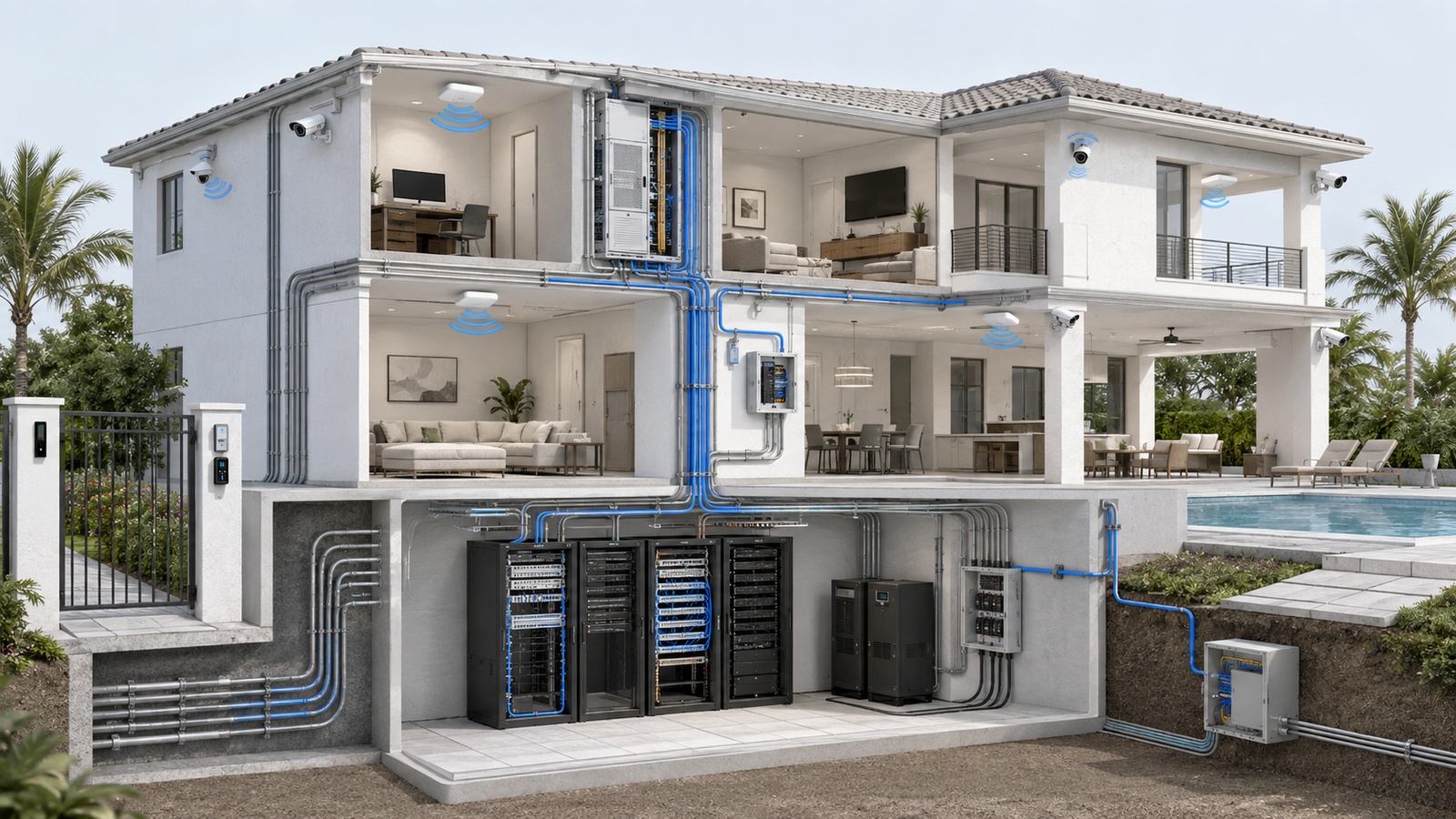
Technology changes much faster than buildings. Cameras, access readers, wireless access points, controllers, servers, and software platforms may be replaced several times while the walls, underground pathways, equipment rooms, electrical service, and building layout remain largely unchanged.
This difference in lifecycle creates the central challenge of future-proofing. A property cannot predict every device or platform it will use ten years from now, but it can preserve the ability to install, connect, power, replace, and manage future systems without repeatedly opening finished walls or rebuilding critical infrastructure.
Future-proofing is therefore not about purchasing the most expensive equipment available today. It is about designing durable foundations that support controlled change tomorrow.
Key Takeaway: The most future-ready property is not the one with the newest devices. It is the one with accessible pathways, adaptable connectivity, sufficient space and power, organized documentation, and a manageable replacement strategy.
01 What Future-Proofing Actually Means
No infrastructure design can guarantee compatibility with every future technology. Standards evolve, vendors discontinue products, regulations change, and new operational requirements emerge. Claims that one cable, platform, or controller will permanently “future-proof” a property should therefore be treated cautiously.
A more practical objective is adaptability. Future-ready infrastructure should make common changes less expensive and disruptive, including:
- Adding wireless access points or cameras
- Expanding access control to new openings
- Increasing network or storage capacity
- Replacing a discontinued vendor platform
- Connecting additional buildings or amenities
- Adding environmental monitoring
- Supporting electric vehicle, parking, or visitor systems
- Moving selected services between local and cloud management
Good future-proofing also preserves operational clarity. A property with enormous unused capacity but undocumented cabling, abandoned equipment, and several overlapping platforms is not truly prepared for change.
The design should provide reasonable expansion headroom while remaining understandable, maintainable, and proportional to foreseeable property needs.
02 Plan According to Infrastructure Lifecycles
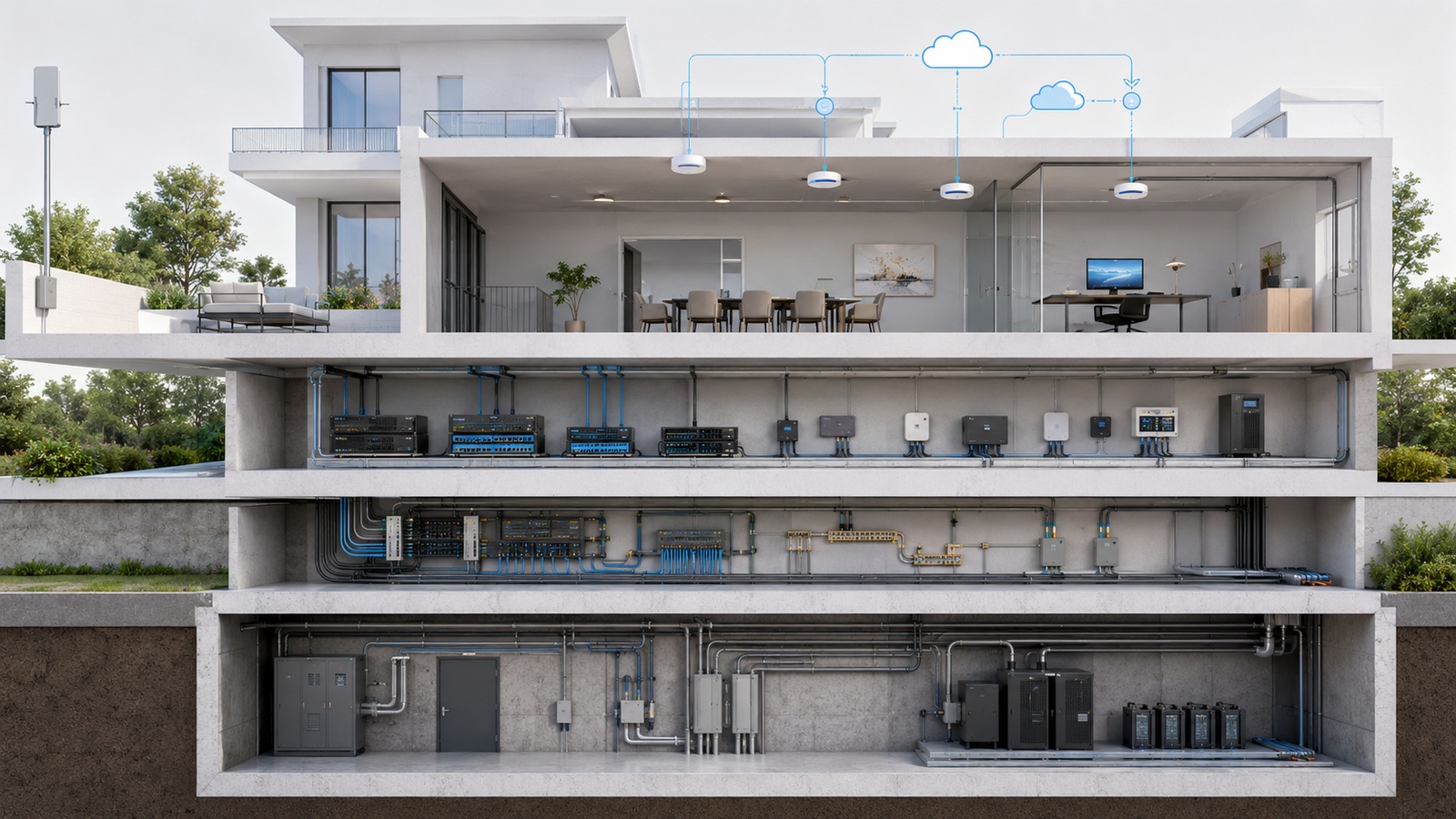
Different components age at different rates. Planning improves when the property distinguishes durable building infrastructure from replaceable technology.
| Lifecycle Group | Typical Examples | Planning Priority |
|---|---|---|
| Building-life infrastructure | Equipment rooms, risers, underground conduit, pathways, electrical capacity | Accessibility, space, protection, and long-term expansion |
| Long-life technology foundation | Structured cabling, fiber backbone, racks, grounding, power distribution | Standards, labeling, testing, documentation, and maintainability |
| Replaceable infrastructure | Switches, gateways, UPS units, recorders, wireless access points | Capacity, compatibility, supportability, and planned refresh |
| Rapidly changing systems | Applications, cloud services, mobile credentials, analytics, integrations | Data ownership, contracts, exportability, security, and exit planning |
The longer a component is expected to remain, the more important physical access and flexibility become. Installing spare conduit while construction is open may cost relatively little. Creating the same route after ceilings, paving, landscaping, or finished interiors are complete may be difficult or prohibitively expensive.
Shorter-life devices should be treated as replaceable. Avoid building permanent architectural constraints around the dimensions, connectors, or cloud model of one current product when a standards-based alternative exists.
03 Pathways Often Matter More Than Cable Claims
Cable selection is important, but accessible pathways provide greater long-term flexibility than attempting to predict one permanent cable type. Conduit, sleeves, trays, pull boxes, risers, handholes, and serviceable routes allow new media to be installed as requirements change.
Pathway planning should consider:
- Route length and permitted bend geometry
- Separation from power and interference sources
- Water, drainage, heat, sunlight, insects, and corrosion
- Pulling access at practical intervals
- Spare capacity and pull strings where appropriate
- Firestopping and building-envelope requirements
- Secure and accessible termination locations
- Future links to entrances, amenities, garages, rooftops, and outdoor areas
Oversizing every pathway without a use case can waste resources, but installing only enough capacity for the first project creates avoidable limitations. Properties should identify likely growth corridors and provide reasonable space there.
Documentation is part of the pathway. Underground conduit with no accurate route record may be damaged during future landscaping or construction. Concealed sleeves and pull boxes provide limited value if nobody knows they exist.
04 Use Copper, Fiber, and Wireless for the Right Roles
No single connectivity medium is ideal everywhere. Future-ready properties use a balanced architecture based on distance, bandwidth, electrical conditions, environment, serviceability, and device requirements.
Structured copper cabling remains practical for many endpoint connections. It can carry network data and Power over Ethernet to access points, cameras, phones, readers, and other supported devices. Cable category, distance, pathway, termination, testing, and environmental rating all affect results.
Fiber is often appropriate for building backbones, long distances, high-capacity uplinks, electrically challenging outdoor routes, and connections between separate structures. Fiber planning must also include strand count, fiber type, termination, protection, testing, optics, patching, and spare capacity.
Wireless connectivity supports mobile users and devices where cabling is impractical, but it should not replace wired infrastructure simply because installation appears easier. Radio conditions, interference, building materials, client density, roaming, power, and future spectrum use all affect performance.
A permanent access point still needs power and an upstream connection. Providing wired access-point locations in useful ceilings and outdoor areas usually preserves more options than depending entirely on mesh relays.
Backbone capacity should support realistic aggregate demand and expansion. Installing multi-gigabit edge devices provides limited value if upstream links, gateways, internet services, storage systems, or applications remain bottlenecks.
05 Equipment Spaces Need Room to Evolve
Technology rooms are often minimized during architectural planning because they do not generate direct revenue or visible resident amenities. Years later, the same property may struggle with overcrowded wall panels, blocked service access, inadequate cooling, unsupported shelves, and devices scattered across unsuitable closets.
A future-ready equipment space should consider:
- Rack and wall capacity
- Front, rear, and side service clearance
- Cable entry and organization
- Dedicated electrical capacity
- UPS and power-distribution space
- Cooling, ventilation, and heat load
- Water and condensation risk
- Environmental monitoring
- Physical access control
- Lighting and safe maintenance access
- Additional hardware and patching capacity
Equipment spaces should not be used as general storage. Boxes, chemicals, cleaning supplies, and unrelated materials can obstruct airflow, restrict access, introduce contamination, and delay emergency work.
Distributed properties may need several equipment locations connected by a resilient backbone. Each location should have a defined role and documented dependencies rather than becoming an accidental collection point for whichever vendor arrived last.
06 Capacity Planning Must Include the Entire Path
Future expansion affects more than port count. New cameras may require switch ports, Power over Ethernet, uplink bandwidth, recording licenses, storage, UPS capacity, cooling, and monitoring. Additional wireless access points may affect switching, cabling, controller capacity, internet service, and radio planning.
Capacity reviews should include:
- Available and total switch ports
- PoE demand and power-supply headroom
- Backbone and internet utilization
- Firewall throughput with enabled security services
- Addressing and segmentation capacity
- Wireless density and coverage requirements
- Video storage and retention
- Rack space and environmental load
- UPS load and required runtime
- Software licenses and subscription tiers
Reasonable headroom protects against normal growth and equipment variation. Excessive speculative capacity can become obsolete before it is used. The correct balance depends on expansion likelihood, construction difficulty, equipment lead time, operational consequence, and budget.
Planning Principle: Capacity is only useful when it exists across the complete service path. One oversized component cannot compensate for every other bottleneck.
07 Design for Power and Connectivity Failure
Properties become more dependent on technology as gates, doors, intercoms, cameras, lighting, sensors, and management platforms become connected. Future-ready design must consider how these systems behave when their supporting infrastructure is unavailable.
Resilience planning may include:
- UPS protection based on service priority
- Generator-supported circuits where justified
- Surge and lightning protection
- Redundant backbone paths in high-consequence environments
- Secondary internet connectivity
- Local controller operation during cloud outages
- Configuration and database backups
- Spare equipment for critical or long-lead components
- Documented manual and emergency procedures
Redundancy should be evaluated for common failure points. Two internet services entering through the same damaged conduit may not provide meaningful physical diversity. Two switches connected to one unprotected electrical circuit still share a power dependency.
Not every system requires complete redundancy. The investment should reflect the operational consequence, acceptable downtime, available workaround, restoration time, and cost.
Testing matters as much as design. Internet failover, UPS runtime, local credential operation, recording continuity, alert delivery, and restoration behavior should be validated under controlled conditions.
08 Preserve Options Without Creating Vendor Chaos
Vendor-neutral infrastructure improves flexibility, but complete independence from proprietary technology is rarely realistic. Access-control panels, camera platforms, lighting controllers, and cloud services may use manufacturer-specific software or licensing.
The practical goal is to avoid unnecessary lock-in by preserving control over:
- Structured cabling and physical pathways
- Standard racks, patching, and power
- Administrative accounts and account recovery
- Configuration and data exports
- Documentation and device inventories
- Contract renewal and cancellation terms
- Remote-support authorization
- Integration and replacement options
The property—not an individual installer—should own primary administrative accounts whenever the platform’s model permits it. Vendor personnel should receive named and appropriately limited access rather than retaining the only administrator credentials.
Before adopting a platform, ask what happens if the vendor changes pricing, discontinues the product, ends cloud service, loses the supporting integrator, or no longer meets the property’s needs.
Open standards are valuable, but “open” does not guarantee easy integration or long-term support. Compatibility claims should be verified using documented interfaces and realistic workflows.
09 Make Lifecycle Planning Part of Property Operations
Infrastructure gradually becomes outdated even when it continues operating. Unsupported software, aging batteries, unavailable replacement parts, expired subscriptions, insufficient capacity, and undocumented modifications can turn a manageable refresh into an emergency project.
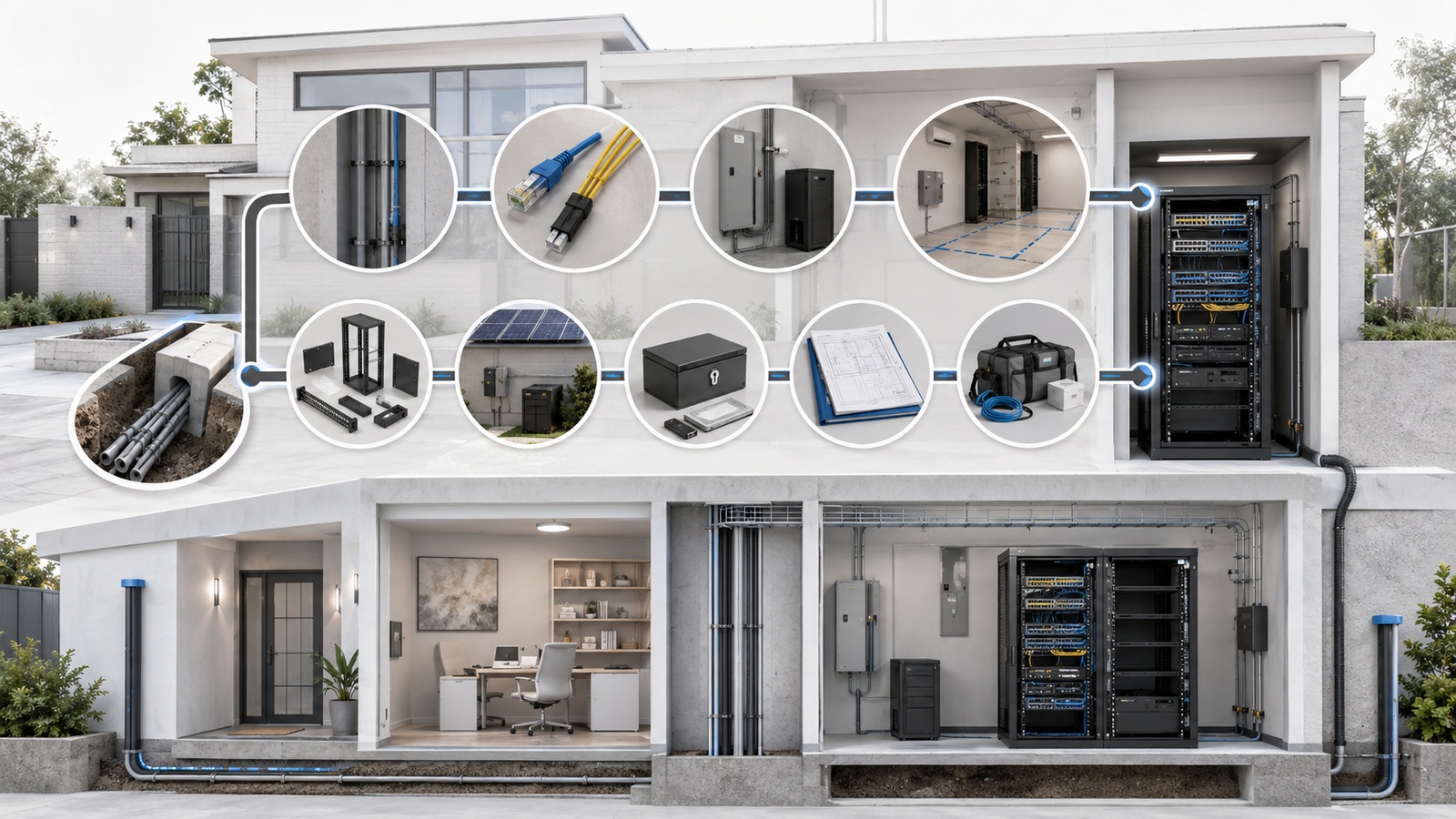
Future-Ready Infrastructure Checklist
- Separate long-life building infrastructure from replaceable technology.
- Identify likely future routes before walls, paving, and landscaping are completed.
- Provide accessible pathways with reasonable expansion capacity.
- Use copper, fiber, and wireless according to their appropriate roles.
- Test and document installed cabling and fiber.
- Provide equipment-space, electrical, cooling, and service-access headroom.
- Review switching, PoE, uplink, internet, storage, and licensing capacity together.
- Define local behavior during network, internet, cloud, and power outages.
- Protect critical infrastructure with proportional resilience.
- Preserve ownership of accounts, configurations, documentation, and data.
- Document dependencies, warranties, subscriptions, and support contacts.
- Maintain configuration backups and tested recovery procedures.
- Create expected replacement windows and capital-budget forecasts.
- Review infrastructure before adding major connected systems.
- Update diagrams and capacity records after every material change.
A lifecycle plan may categorize systems as supported, aging, capacity-limited, or replacement candidates. It should identify approximate refresh periods without assuming that every device must be replaced solely because it reaches a predetermined age.
Condition, vendor support, security updates, performance, failure history, business impact, and replacement availability should all influence timing. Planned upgrades are usually less disruptive and less expensive than emergency replacements after a critical platform fails.
Future-proofing ultimately depends on decisions that remain useful even when today’s products are gone: accessible routes, standards-based cabling, protected power, usable equipment spaces, accurate records, account ownership, and disciplined change management.
The final article in this category examines what happens when those foundations and operating disciplines are absent: How Smart Property Systems Fail Without Operational Coordination.