
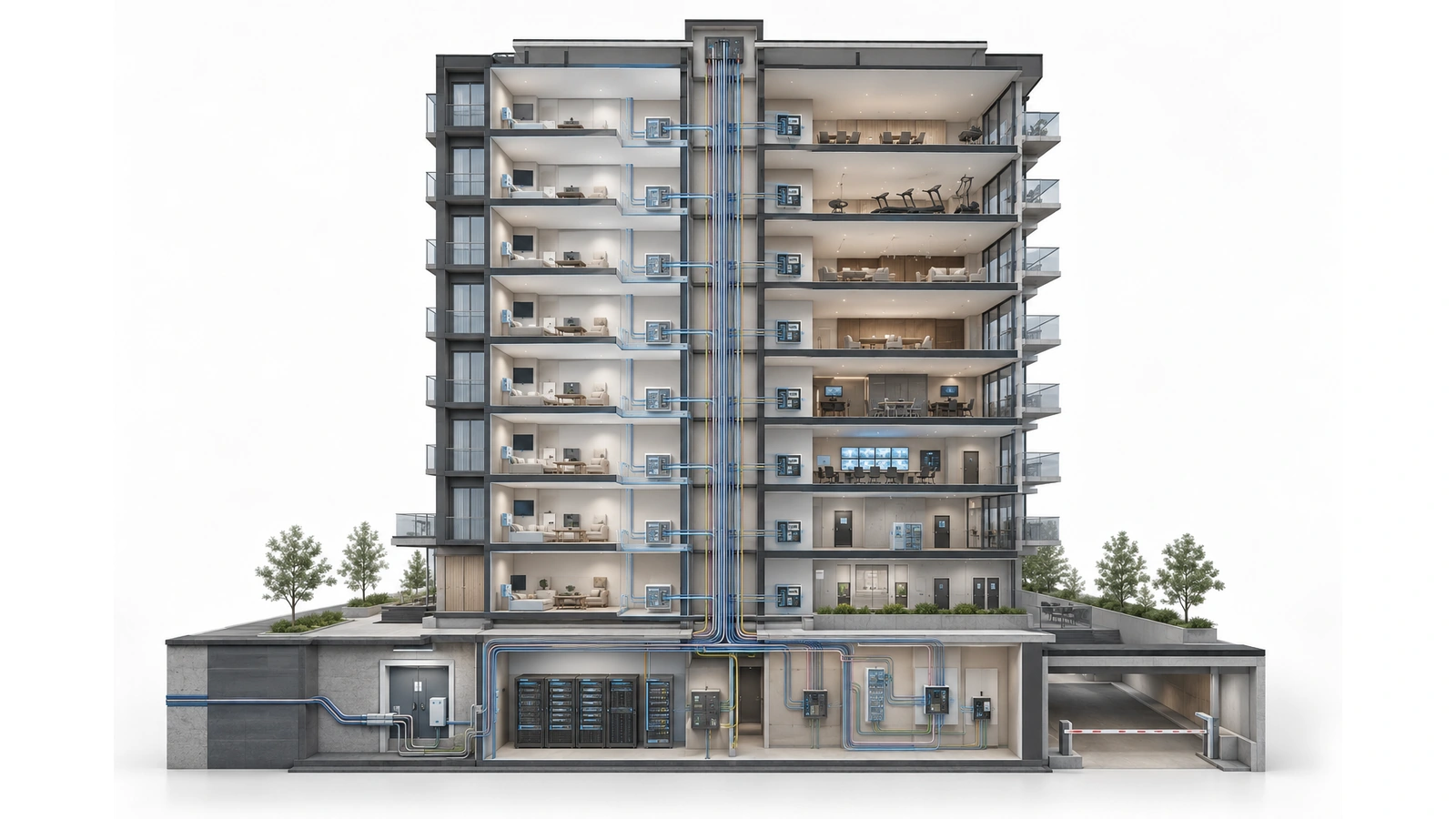
High-density residential buildings combine many people, devices, vendors, and operational systems inside one property. Residents expect privacy. Guests need limited connectivity. Staff require access to business resources. Cameras, access control, automation, package systems, and other devices need narrowly defined communication paths.
These services may share telecommunications rooms, fiber, switches, wireless infrastructure, or internet connections. They should not automatically share the same trust level.
Network segmentation creates controlled boundaries between them. When designed properly, those boundaries protect resident privacy, reduce the impact of compromised devices, make troubleshooting clearer, and prevent a routine connectivity problem from spreading across unrelated building systems.
The service and ownership decisions should be established first. If those boundaries are still unclear, begin with Shared vs. Private Networks in MDUs.
Key Takeaway
Segmentation is not merely the creation of several VLANs. It is the complete process of defining trust zones, controlling communication between them, protecting administrative access, monitoring important events, and verifying that the intended boundaries actually work.
01 Start with Users, Systems, and Trust Boundaries
A residential building should not begin its security design by asking how many VLANs it needs. It should begin by identifying who uses the infrastructure, which systems are present, who owns them, and what each one genuinely needs to reach.
Typical groups include:
- Residents and their personal devices
- Resident guests and visitors
- Public or amenity Wi-Fi users
- Property-management and administrative staff
- Maintenance and operations personnel
- Security teams and monitoring services
- Technology vendors and contractors
- Network administrators and managed-service providers
Typical systems include:
- Resident internet and managed residential Wi-Fi
- Management workstations, printers, phones, and business applications
- Surveillance cameras, recorders, and monitoring stations
- Door controllers, intercoms, gates, and credential platforms
- Building automation and environmental controls
- Package rooms, parking systems, digital displays, and amenity devices
- Network controllers, monitoring platforms, switches, and firewalls
Each group should receive only the access required for its role. Physical proximity does not establish trust. Two devices connected to the same floor switch may belong to entirely different security zones.
02 Establish the Core Security Zones
Every building is different, but most high-density residential properties need several clearly separated environments.
Resident environments
Each household should be isolated from other households unless a deliberately authorized service requires otherwise. Residents may need private communication among their own devices, but they should not discover neighboring televisions, printers, computers, or smart-home equipment.
Guest and public access
Guest connectivity should generally provide controlled internet access without a path to resident devices, staff resources, building systems, or network administration. Client-to-client communication may also need to be restricted.
Staff and business operations
Management workstations, office printers, business applications, and administrative devices require protection from public and resident networks. Access within this zone should still reflect employee roles rather than assuming every staff device requires access to every resource.
Surveillance and physical security
Cameras, recorders, access control, gates, and intercoms are often separated into dedicated zones or service-specific environments. Their communication should be limited to authorized controllers, recorders, monitoring stations, update services, and management platforms.
Building automation and connected equipment
Environmental controls, lighting systems, pool equipment, irrigation, meters, elevators, and other operational technology may have specialized vendor or availability requirements. These devices should not receive broad access merely because they require internet connectivity.
Network administration
Switches, firewalls, wireless controllers, management interfaces, power systems, and monitoring tools should have a protected administrative path. Resident, guest, and ordinary device networks should not be able to reach them.
03 Define Communication Before Selecting Controls
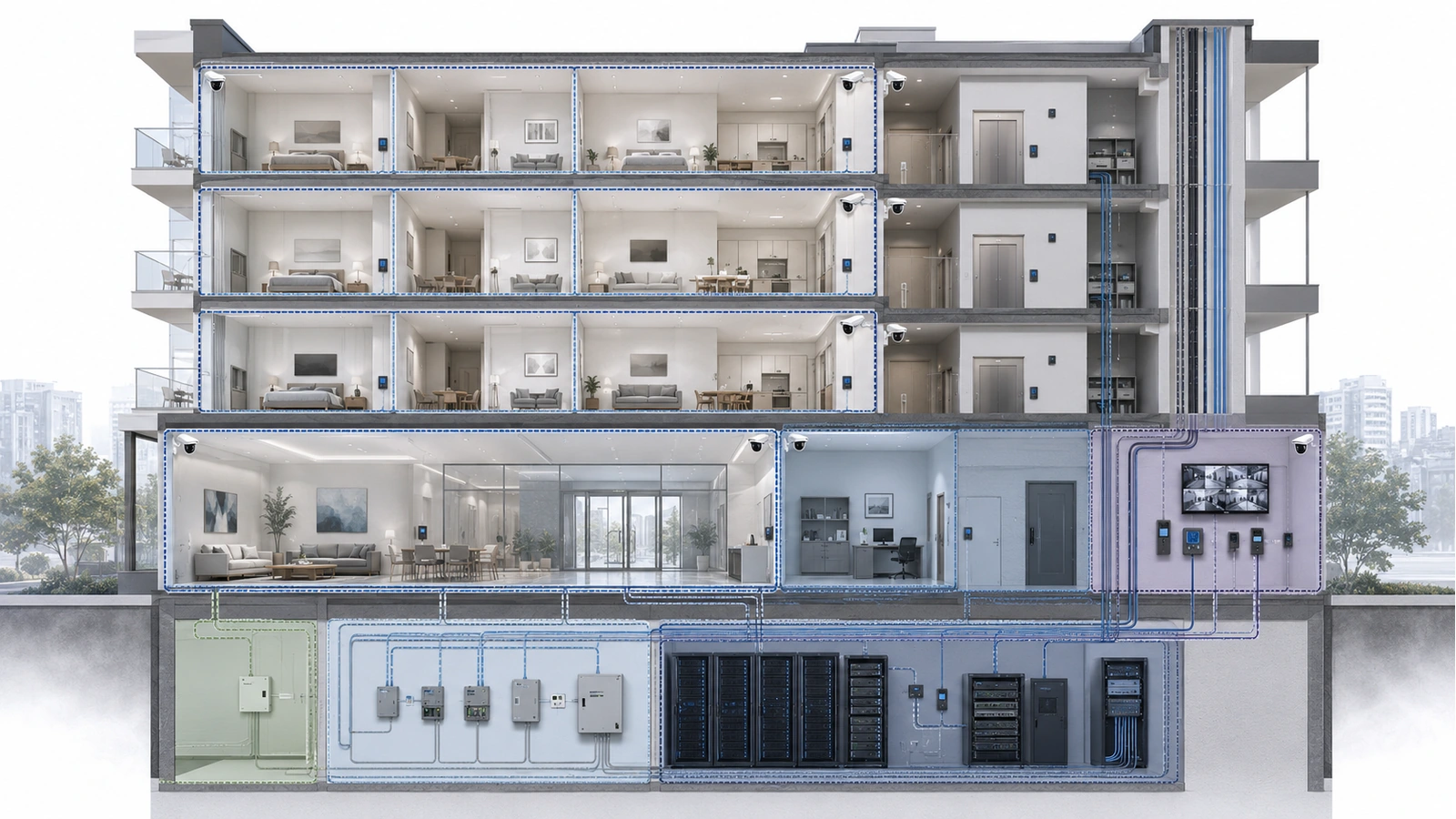
Once the zones are identified, the design team should document the communication each service requires. A useful starting position is to deny communication between zones and then permit only the necessary paths.
This does not mean blindly blocking everything. It means creating intentional rules instead of allowing communication simply because no one configured a restriction.
| Source Environment | Normally Permitted | Normally Restricted |
|---|---|---|
| Resident service | Internet access and authorized devices or services belonging to the same household | Other households, building systems, staff resources, and network administration |
| Guest or public Wi-Fi | Controlled internet access and explicitly provided public services | Residents, staff, cameras, access control, automation, and management interfaces |
| Staff operations | Authorized business applications, printers, communications, and approved services | Security or building-control systems not required by the employee’s role |
| Surveillance systems | Approved recorders, monitoring stations, time services, and required management platforms | Resident, guest, and unrelated operational environments |
| Access control and automation | Required controllers, servers, vendor platforms, and approved operator stations | General browsing, public networks, and unnecessary east-west communication |
| Network management | Authorized administrator devices, monitoring, backup, and management services | Direct access from resident, guest, and ordinary endpoint networks |
This matrix is an architectural starting point, not a universal firewall policy. Actual communication depends on system design, manufacturer requirements, support contracts, and the building’s operating procedures.
Every exception should have an owner, purpose, source, destination, protocol or service, approval record, and review date. Broad rules such as allowing an entire vendor network to reach an entire building zone should be avoided when a narrower path will work.
04 Select the Appropriate Enforcement Methods
Different technologies perform different parts of the segmentation job. A secure design may combine several of them.
VLANs and virtual networks
VLANs organize devices into separate logical broadcast domains over shared switching infrastructure. They are useful building blocks, but a VLAN does not automatically enforce every security requirement.
If traffic is routed between VLANs without restrictive policy, the separation may be primarily organizational. Trunks, access ports, native network settings, and endpoint assignments must also be configured consistently.
Routing and firewall policy
Routing determines where traffic can travel, while firewall or access-control policy determines which communication is allowed. Important inter-zone traffic should pass through an enforcement point capable of applying and recording the intended rules.
Private client isolation
Private VLAN functions, wireless client isolation, subscriber platforms, and similar controls can prevent users within a shared service from communicating directly. This is especially important for resident and guest environments.
Authentication and identity
Authentication can assign residents, employees, administrators, or devices to the correct service and policy. In managed environments, automated onboarding and role assignment can scale more reliably than manual configuration.
Physical separation
Some systems may require separate switches, cabling, firewalls, or provider infrastructure because of ownership, regulation, vendor restrictions, availability, or risk. Physical separation can create a clear boundary, but it also increases equipment and maintenance requirements.
The correct method should match the building’s scale and operational capability. A complex design that cannot be maintained accurately may become less secure over time than a simpler, well-documented architecture.
05 Treat Tenant Isolation as a Service Requirement
Tenant isolation is essential when residents use building-managed or otherwise shared infrastructure. However, “one VLAN per unit” is not the only way to achieve it.
Depending on scale and platform, a property may use:
- Unit-specific logical segments
- Private VLAN or port-isolation functions
- Subscriber-aware gateways
- Identity-based policy assignments
- Managed residential gateways
- Automated wired and wireless provisioning
The desired outcome is that one household cannot discover or reach another household’s devices while members of the same household can use their authorized services as intended.
That becomes more complex when a resident wants personal devices to communicate across wired and wireless connections, roam between access points, operate smart-home systems, or reach a private printer. The platform must preserve the household boundary without making legitimate household use impractical.
Move-in and move-out procedures are also part of tenant isolation. Old credentials, device assignments, unit mappings, and administrative records should be removed or reassigned through a controlled process.
Tenant Isolation Must Be Tested
A configuration label does not prove privacy. Testing should verify that one household cannot discover, address, or reach another household’s devices through wired, wireless, or shared-service paths.
06 Protect Vendors and Remote Access Paths
Vendors commonly support access control, cameras, elevators, building automation, package systems, gates, and other specialized platforms. Their access may be necessary, but permanent unrestricted connectivity creates avoidable risk.
Remote access should answer:
- Which individual or organization is connecting?
- Which system may they reach?
- What authentication protects the connection?
- Who approved the access?
- When should it begin and expire?
- What activity is logged or reviewed?
- Who disables access after the contract or project ends?
Where practical, vendors should receive individual accounts, strong authentication, access limited to their systems, and time-bound authorization. Shared staff credentials and undocumented remote-access appliances should not become permanent substitutes for a controlled process.
Outbound vendor connections also require review. A device that initiates a cloud connection may still transmit data, depend on an outside platform, or create a remote management path. The building should understand the destination, purpose, ownership, and impact if that service becomes unavailable.
07 Secure Administration and Network Operations
Segmentation can fail if administrative access is weak. An attacker or unauthorized user who obtains control of switches, firewalls, wireless platforms, or identity services may be able to change the boundaries the architecture depends on.
Administrative protections should include:
- Individual administrator accounts rather than shared identities
- Strong multifactor authentication where supported
- Role-based permissions aligned with actual duties
- A protected management network or approved administrative path
- Secure storage and transfer of credentials
- Configuration backups and documented recovery procedures
- Controlled software and firmware maintenance
- Logging of important administrative changes
- Prompt removal of former employees and vendors
Management interfaces should not be exposed directly to resident or guest environments. Remote administration should use an approved secure method rather than broadly accessible web interfaces or informal port forwarding.
Configuration changes should be documented so that troubleshooting does not require guessing which rule, port assignment, or vendor connection was modified.
08 Monitor Boundaries and Prepare for Incidents
Security controls require ongoing visibility. Monitoring should focus on events that help the team identify failures, unauthorized changes, or abnormal behavior without collecting more resident information than the service genuinely requires.
Useful operational signals may include:
- Authentication failures and unusual administrative access
- Configuration changes
- Unexpected communication between security zones
- New or unauthorized devices on controlled networks
- Repeated link failures or port-state changes
- Loss of cameras, controllers, or other important endpoints
- Unusual outbound communication from building devices
- Backup, licensing, certificate, or monitoring-platform failures
When an incident occurs, segmentation should help contain it. The team should be able to isolate a device, port, unit, vendor path, or service zone without unnecessarily interrupting the entire property.
An incident plan should identify who can authorize containment, who contacts residents or vendors, what evidence should be preserved, how services are restored, and how temporary emergency changes are reviewed afterward.
09 Review and Maintain the Security Architecture
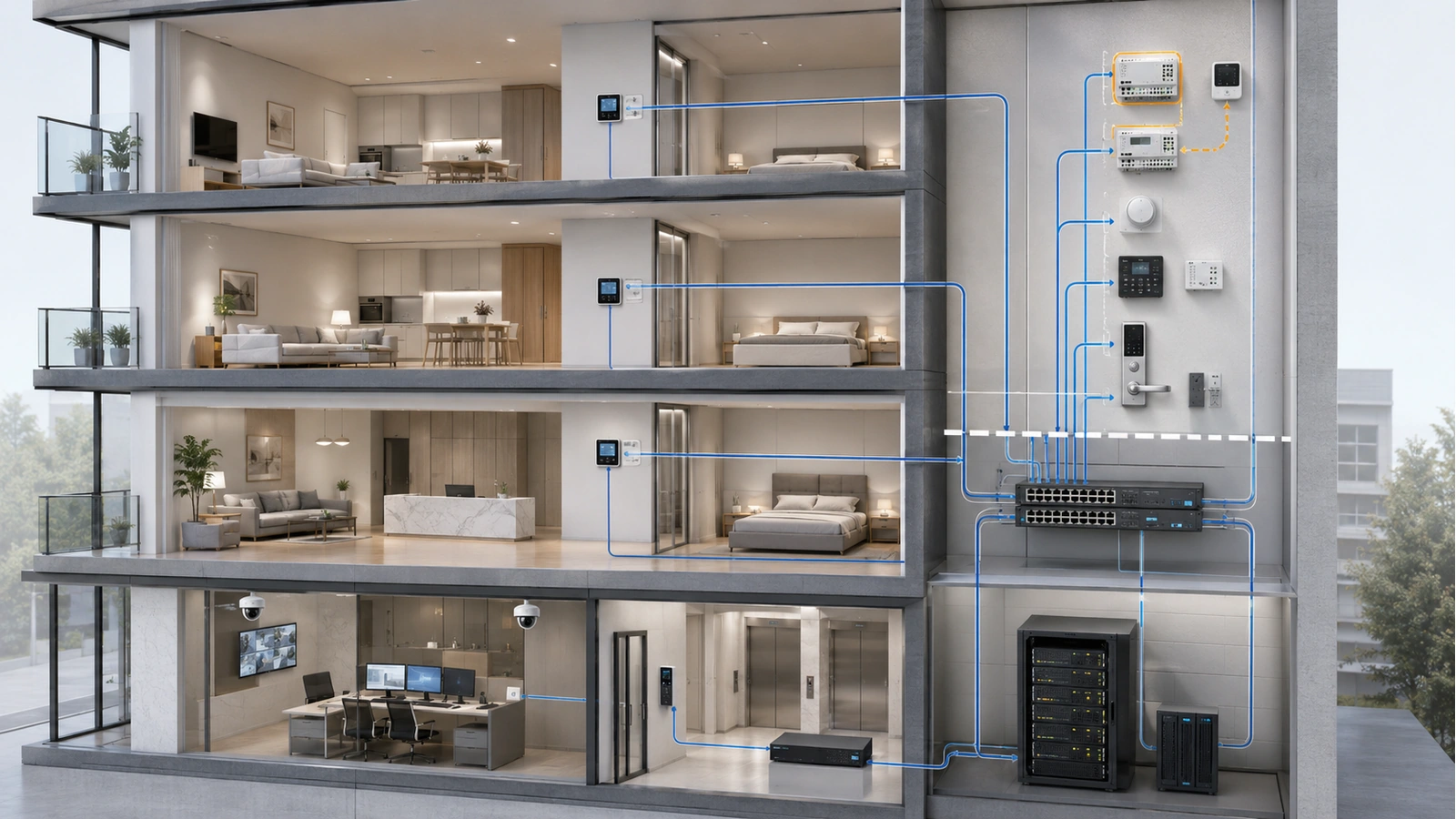
Residential buildings change continuously. Residents move, staff responsibilities change, vendors are replaced, systems are added, and equipment receives updates. Segmentation that was correct at installation can gradually become inaccurate.
Security and Segmentation Review Checklist
- Maintain a current inventory of network-connected systems and owners
- Document security zones, routing boundaries, and permitted communication
- Verify tenant and guest isolation through practical testing
- Review firewall rules and remove obsolete exceptions
- Confirm switch ports and wireless services map to the correct zones
- Review administrator, employee, and vendor accounts
- Remove expired remote-access methods and unused credentials
- Verify monitoring, alerting, configuration backups, and recovery access
- Review cloud dependencies and vendor-controlled connections
- Test containment and escalation procedures
- Update diagrams after infrastructure or policy changes
- Coordinate specialized and regulated systems with qualified professionals
Access control, elevators, fire alarm, emergency communications, public-safety radio, and other regulated or safety-related systems may have specialized design, availability, cybersecurity, and code requirements. Their segmentation and connectivity must be coordinated with qualified system professionals and applicable authorities.
The goal is not to create the greatest possible number of zones or rules. It is to establish understandable boundaries that protect residents and operations while remaining supportable by the organization responsible for them.
A mature residential security architecture makes normal communication explicit, blocks unnecessary paths, protects administration, limits vendor access, exposes important failures, and allows incidents to be contained without disabling unrelated services.
These controls become especially important in dense wireless environments, where hundreds of resident and building devices operate in close proximity. Continue with Why Consumer Wi-Fi Fails in High-Rise Buildings.